Sync Apple App Store
Link your App Store Connect account so ProdRail can fetch iOS ratings and reviews and support reply workflows.
This guide has two parts:
- Generate Team API credentials in App Store Connect.
- Enter the credentials in ProdRail and connect your iOS app.
Important: You need an Account Holder or Admin role in App Store Connect to complete this flow.
Security and account control
- You can revoke or rotate any API key created for ProdRail anytime in App Store Connect.
- API keys are separate from your personal Apple ID password and can be managed independently.
- ProdRail uses these credentials only to sync App Store review and ratings data.
Setting Up A New App Store Connect Connection
1. Sign in to App Store Connect
Open App Store Connect and sign in with an Account Holder or Admin account.
You need elevated access because only these roles can create Team API keys used by ProdRail.
2. Request App Store Connect API access (one-time setup)
If your account has not enabled API access yet, go to Users and Access, open Integrations (App Store Connect API tab), then request access.
Apple reviews this request manually, so approval can take time before you can generate keys.
- Open Users and Access > Integrations
- Select Request Access
- Accept terms and submit

3. Start creating a Team API key
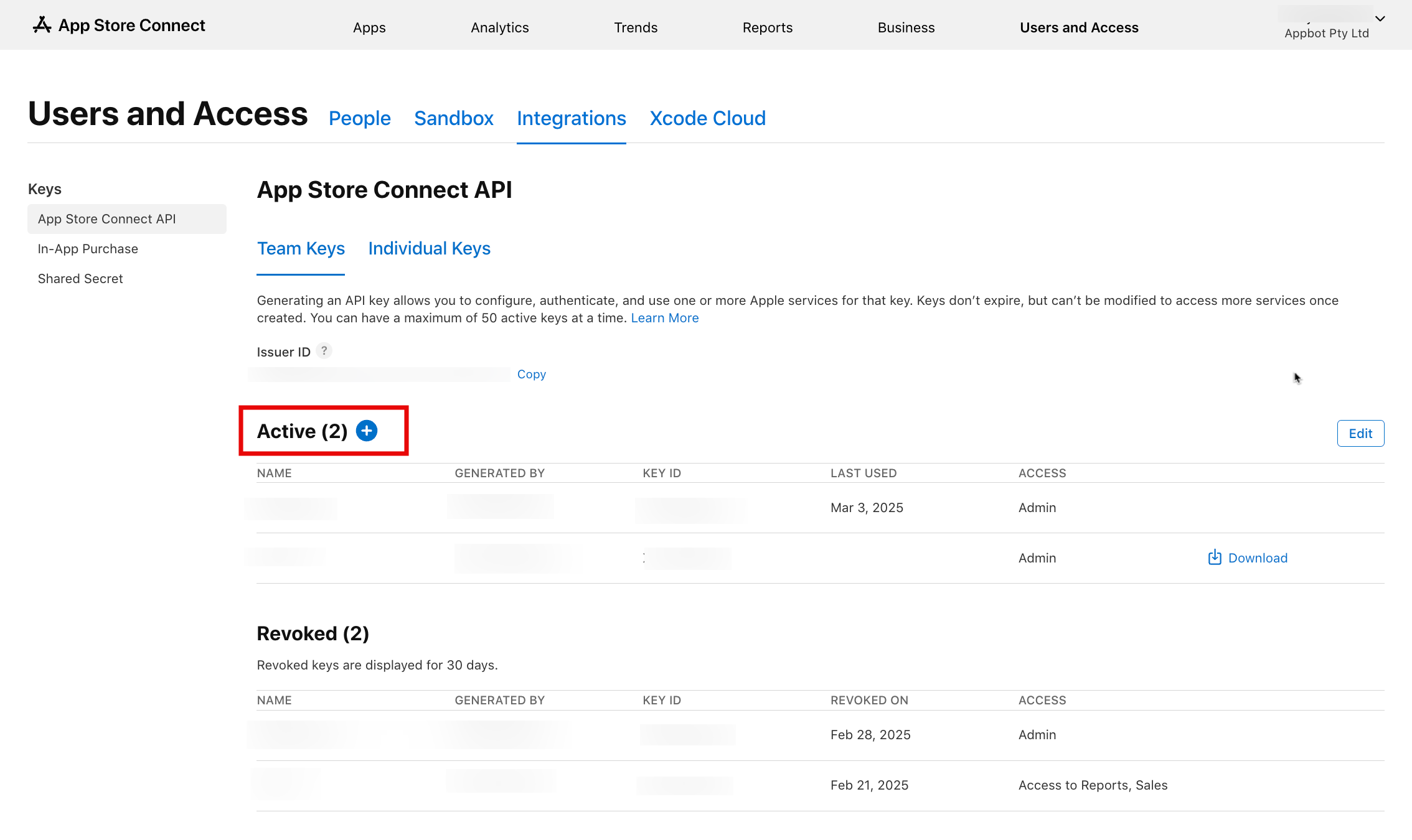
In Users and Access > Integrations, open the Team Keys section and select + to create a new key.
4. Configure key details and generate
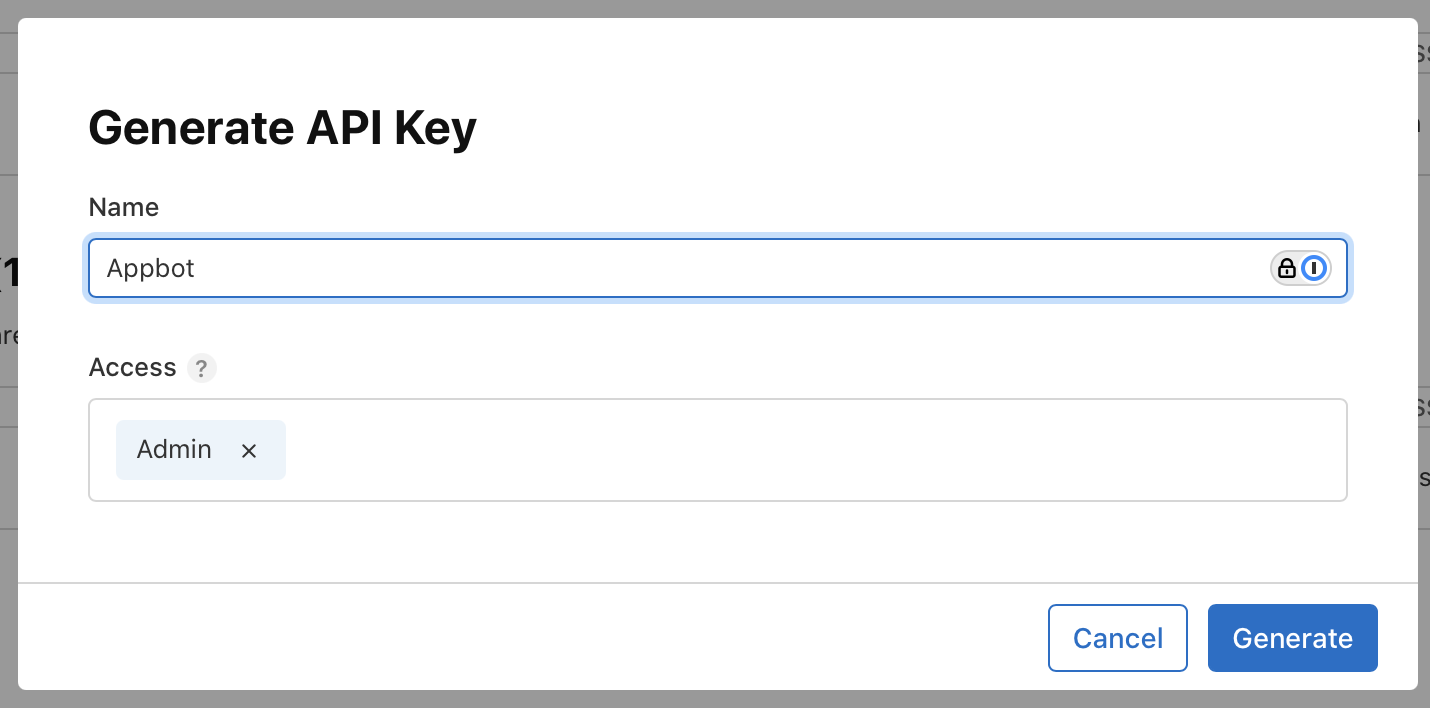
Add a clear key name (for internal reference), set access to Admin, then select Generate.
Apple does not allow editing key name or access after creation, so regenerate if changes are needed.
5. Copy IDs and download the private key file
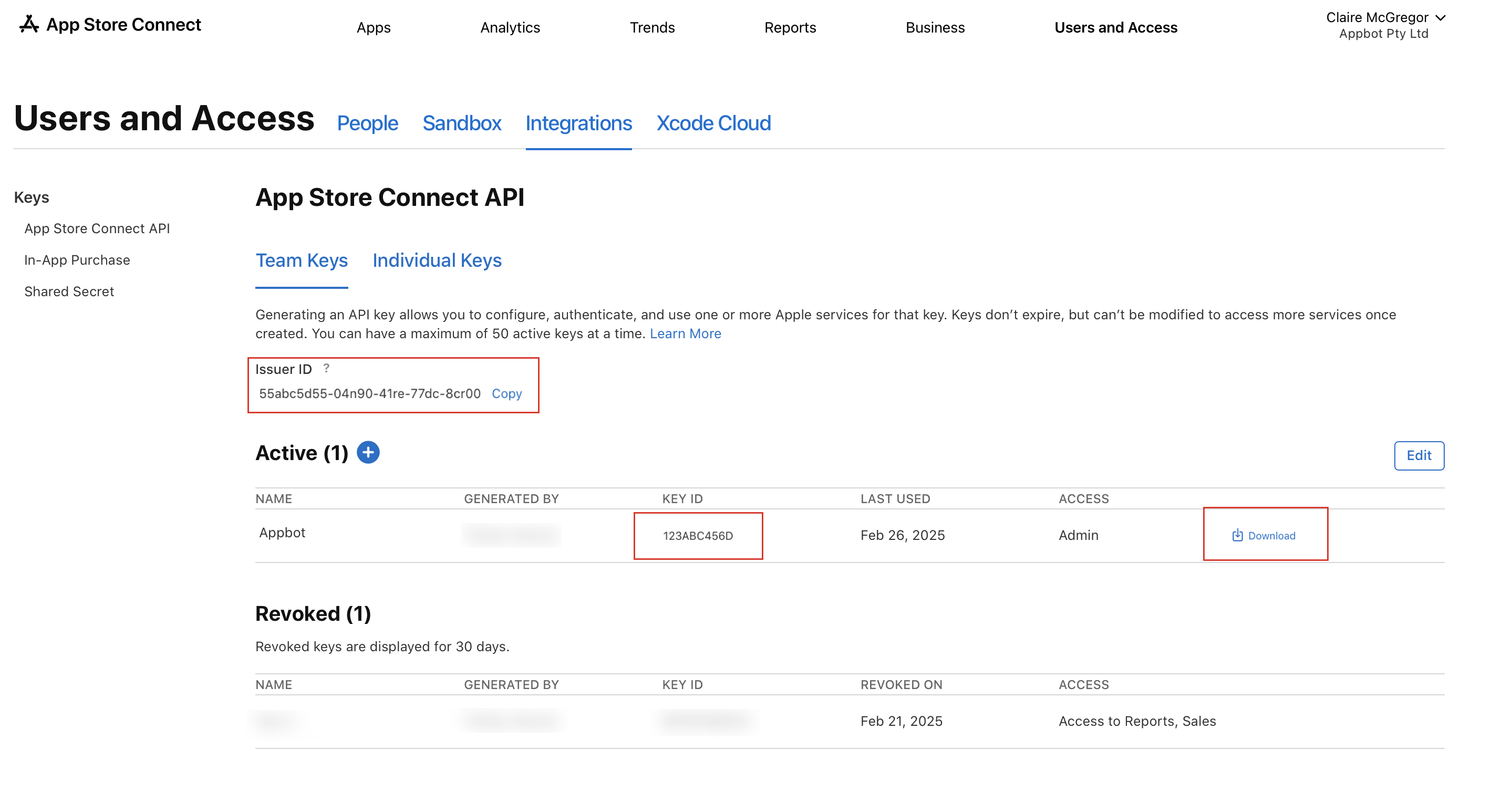
Save the generated Issuer ID and Key ID, then download the API key file (the .p8 file).
Apple only lets you download the private key file once, so store it securely before closing this screen.
6. Open ProdRail and enter credentials to link app store
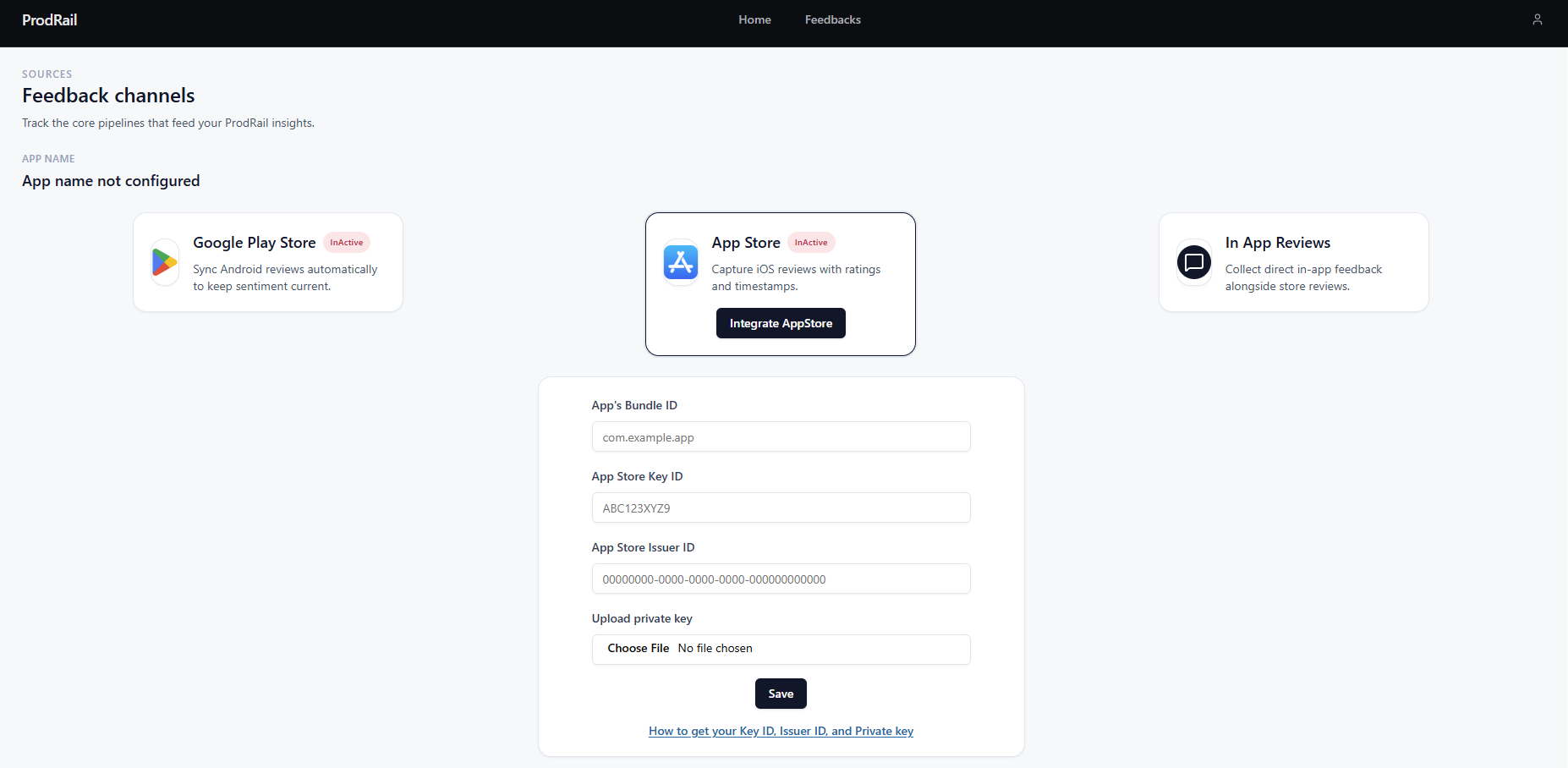
In ProdRail, open your profile menu, go to Sources, and click on the App Store
Paste your Issuer ID, Key ID and upload the downloaded .p8 file, then select Link Account.
8. Save and verify linked store
After saving, the app tries to connect to your App Store account and verify the credentials are valid.
Once verified, the app store will be linked and the reviews will be fetched by ProdRail.
You stay in control after linking. Revoke or rotate the key in App Store Connect anytime if your team's access needs change.
Troubleshooting
Unable to generate a Team API key
- App Store Connect API key generation has not been enabled for the account.
- The user does not have Admin access.